Argi Kurnia
Feb 10, 2022
•
` 3 min read

Basic rate-limiting middleware for Express. Use to limit repeated requests to public APIs and endpoints such as password reset.
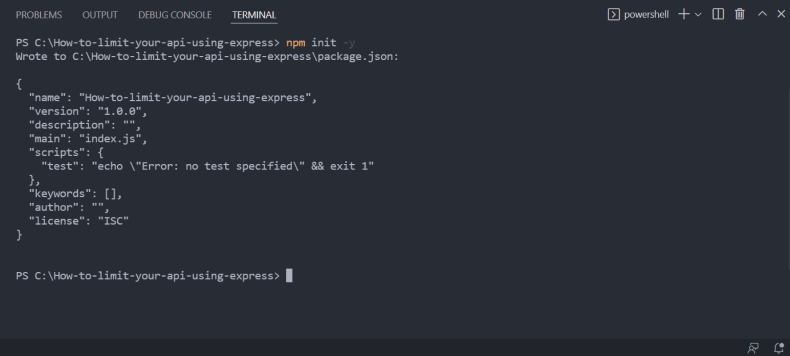
First of all you need to run the command npm init -y and create a default package.json.
Then you need to install another packages :
npm install express express-rate-limit nodemon
First of all you need to edit package.json to change “scripts”, so following the example below :
"scripts": {
                     "dev": "nodemon server.js",
                     "start": "node server.js"
                    },
If you run npm run dev you will run development server but if you run npm run start it will run production server.
Then you need to create file , name your file whatever you want but i always created file with the name app,js or server,js. following the example below :
// Import express
                        const express = require("express");

                        // Executed express
                        const app = express();

                        const port = process.env.PORT || 3000;

                        app.get("/", () => {
                        return res.send("API");
                        });

                        app.listen(port, () => {
                        console.log(`App running on port ${port}`);
                        });
Since we already added the express-rate-limit in the first step we just need to import it, First we need to import the express-rate-limit in our code below express import.
// Import express
                    const express = require("express");
                    // Import express-rate-limit
                    const rateLimit = require('express-rate-limit');
Then we can configure the time box (windowMs) in milliseconds and the maximum number of requests per IP address (max).
/ Import express
                const express = require("express");
                const rateLimit = require("express-rate-limit");

                // Express Limit

                // Executed express
                const app = express();

                const port = process.env.PORT || 3000;

                // Limit requests from same API
                const limiter = rateLimit({
                max: 4, // limit each IP to 4 requests per windowMs
                windowMs: 2 * 60 * 1000, // 2 minute
                message: "Too many requests from this IP, please try again in 2 minute!", // it will display when you hit the limit
                });

                //middleware use to limit API
                app.use(limiter);

                app.get("/", (req, res) => {
                return res.send("API");
                });

                app.listen(port, () => {
                console.log(`App running on port ${port}`);
                });
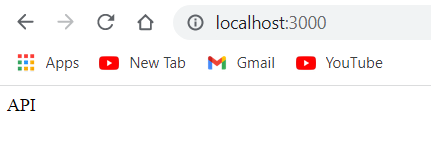
Default response before we hit the limit.
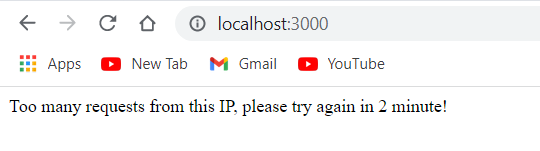
After you hit the limit it will display a custom message that you write but i write it Too many requests from this IP, please try again in 2 minute!".
Yay! you made it so far!